

 العربية
 کوردی
کوردیTo add a new domain or subdomain, follow these steps:
Step One: Access Domain Management
- Log in to your cPanel control panel
- From the Domains section, select Domains
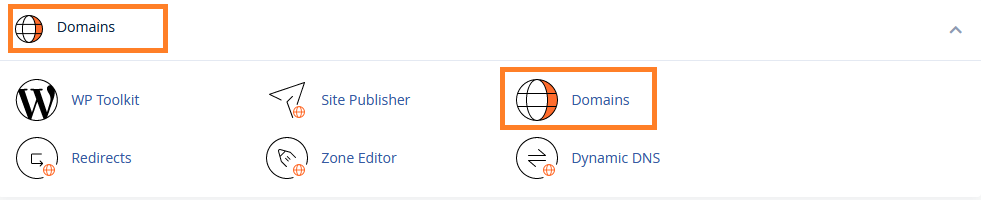
Step Two: Create New Domain
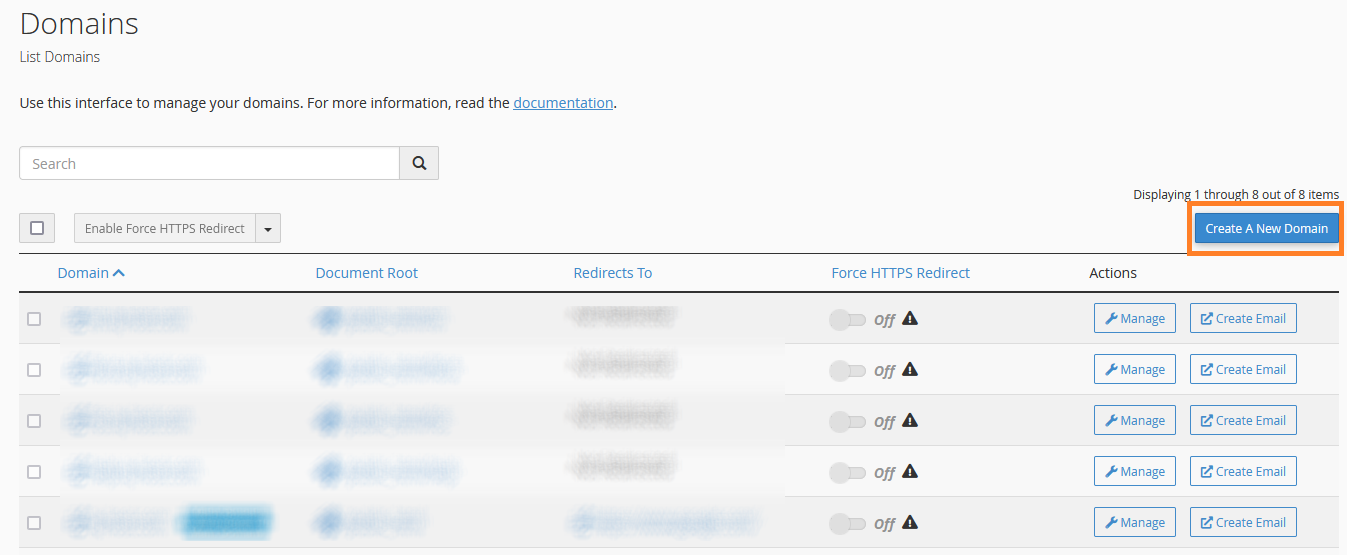
- Click on Create A New Domain to add the domain or subdomain, as shown in the image below:
Step Three: Enter Domain Information
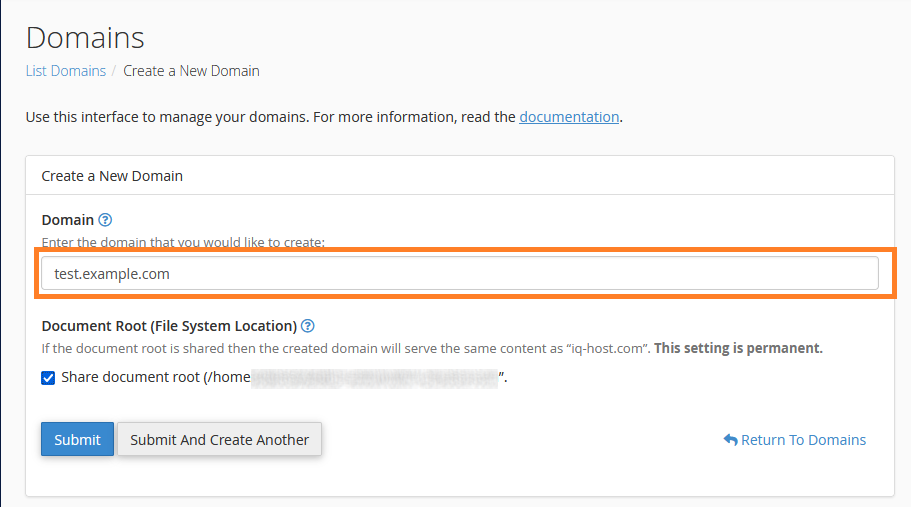
- In the input field, enter the complete domain or subdomain name with the extension
- Click Submit to complete the process, as shown in the image below:
Advanced Settings (Optional)
Important Note: Uncheck
Share document root if you want the domain or subdomain to work separately from the main website domain, then specify a new path for it as shown in the image below: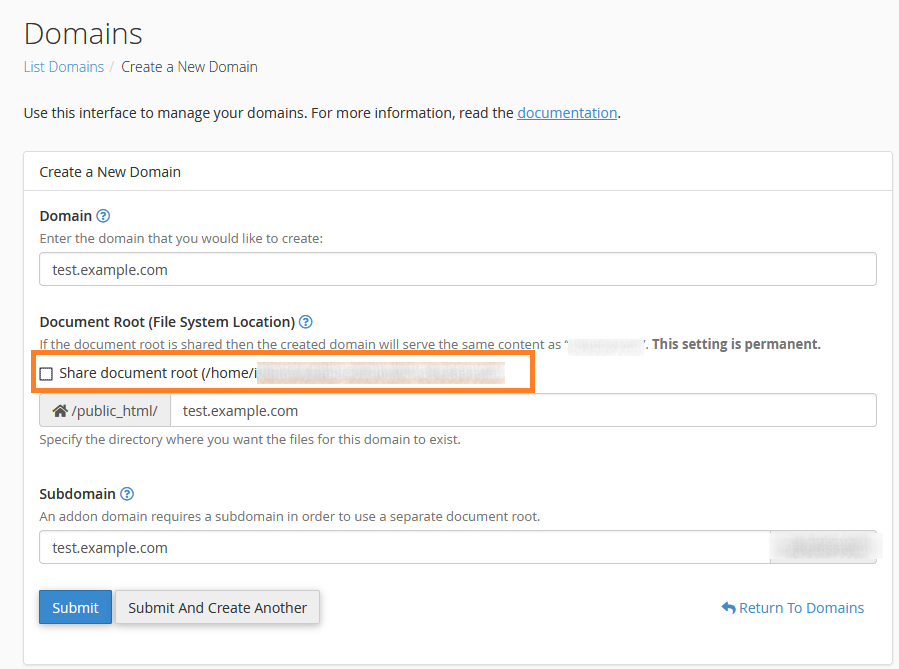
Warning: Make sure the domain name is correct before adding. Subdomains appear immediately, while new domains require separate DNS configuration.