

 العربية
 کوردی
کوردیTo create a MySQL database in cPanel, follow these steps:
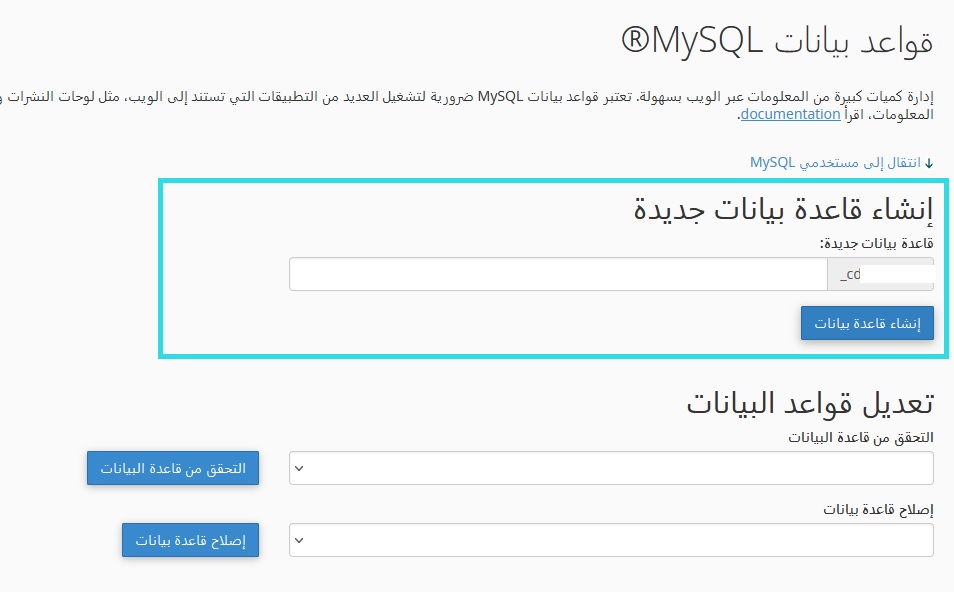
Step One: Create the Database
- Navigate to the "MySQL Databases" section in cPanel
- Select "Create Database"
- Enter the desired database name and click "Create Database"
Step Two: Create User and Password
- Select "Add New User"
- Enter the username and password
- Click "Create User"
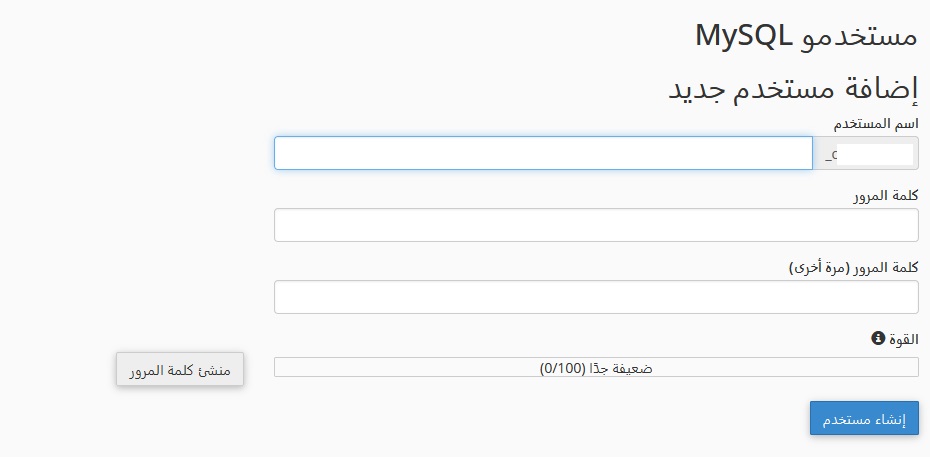
Tip: Use a strong password containing uppercase and lowercase letters, numbers, and symbols to ensure database security.
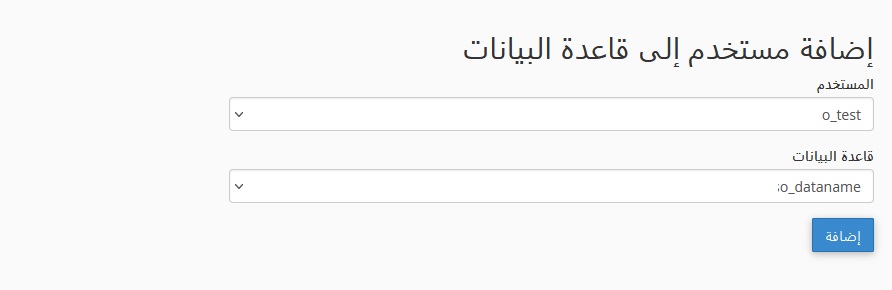
Step Three: Link User to Database
- In the same section, select "Add User to Database"
- Choose the user and database from the dropdown menus
- Select the required privileges (usually "All Privileges" for applications)
- Click "Add User to Database"
Warning: Save the database information (database name, username, password, server address) in a secure location. You will need it to connect applications to the database.